OUR PRODUCT · NOW ON MICROSOFT MARKETPLACE
SalesGuard governs the deal data that Dynamics 365 Sales and Microsoft’s sales AI work with. Your sales operations team writes the rules. SalesGuard checks your Opportunities against them inside your own Dataverse environment and shows sellers and managers which rules a deal fails and what each rule expects.
Rule-based and advisory: every result traces back to a rule you can read, and a failing rule never stops a save.
30-day free trial · Licensed per user · Try and buy through Microsoft Marketplace
Required fields and value checks on standard and custom Opportunity columns, combined with AND/OR conditions. Start from ready-made checks or write your own, for everyone, a team or a business unit.
A Governance tab on the Opportunity form shows the deal's score, the rules it fails, what each rule expects and what the record holds now.
See how much of your open pipeline, by value, fails the checks you have switched on.
A failing rule never stops a save. SalesGuard flags what is missing and records a score on each deal.
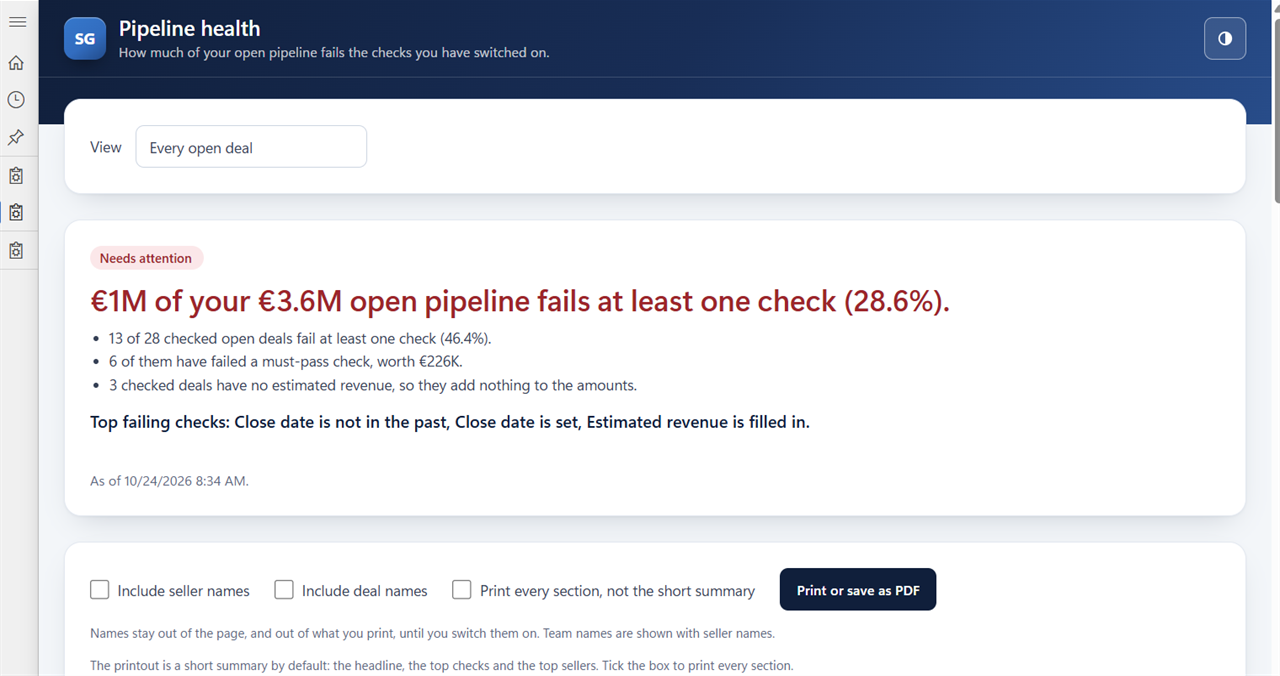
Pipeline health puts one number at the top: how much of your open pipeline, by value and in your organisation’s own currency, fails at least one check you have switched on.
Seller and deal names stay off the page, and off anything you print, until you switch them on.
For SalesGuard managers and administrators. Pipeline health counts the latest result of each open deal. Deals still in their grace period, and deals no check applies to, are listed apart.
The Governance tab on the Opportunity form shows the deal’s score, its status and each rule it fails, with what the rule expects and what the record holds now.
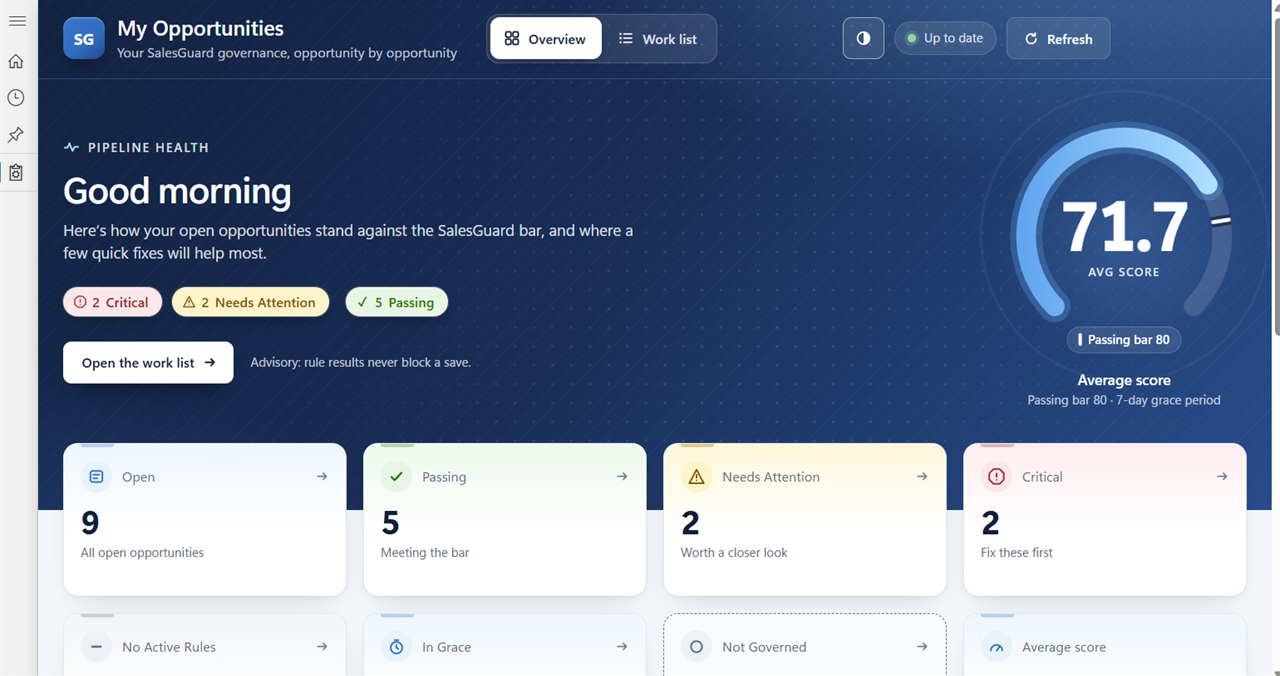
In My Opportunities, each seller sees their own open deals against your passing bar, with the Critical ones first.
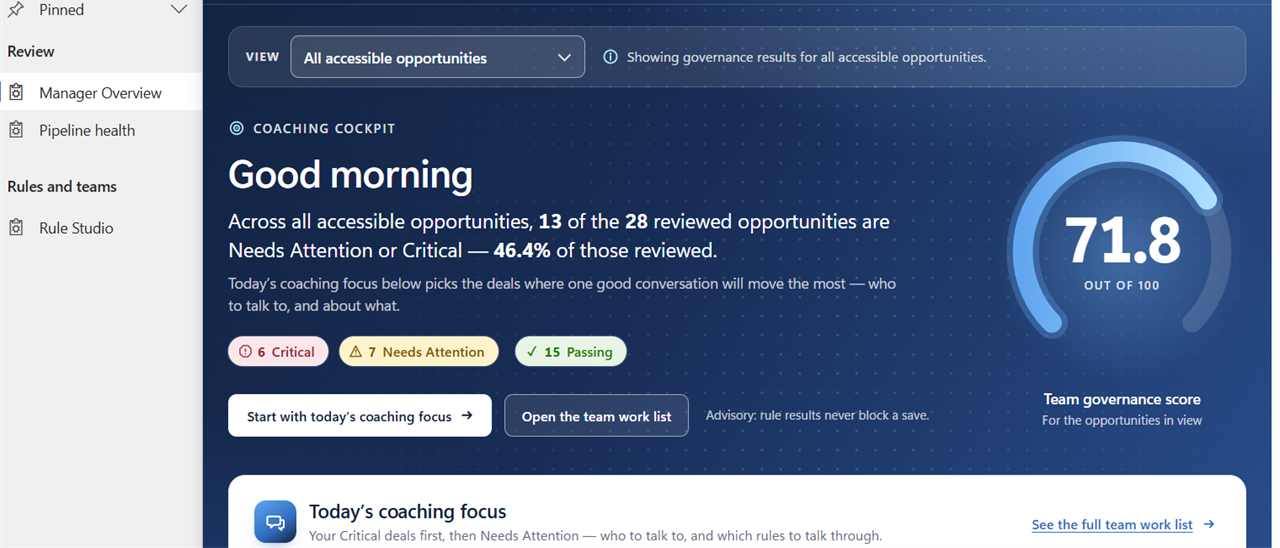
The Manager Overview shows team-wide gaps, the most common failing rules and a daily coaching focus: which deals to raise in your next 1:1, and which rules to talk through. Directors can compare the teams they lead side by side in Team review.
Scores are recorded on deals, not on people. Seller names stay off Pipeline health until you switch them on. SalesGuard reads deal data with each person’s own Dynamics 365 permissions.
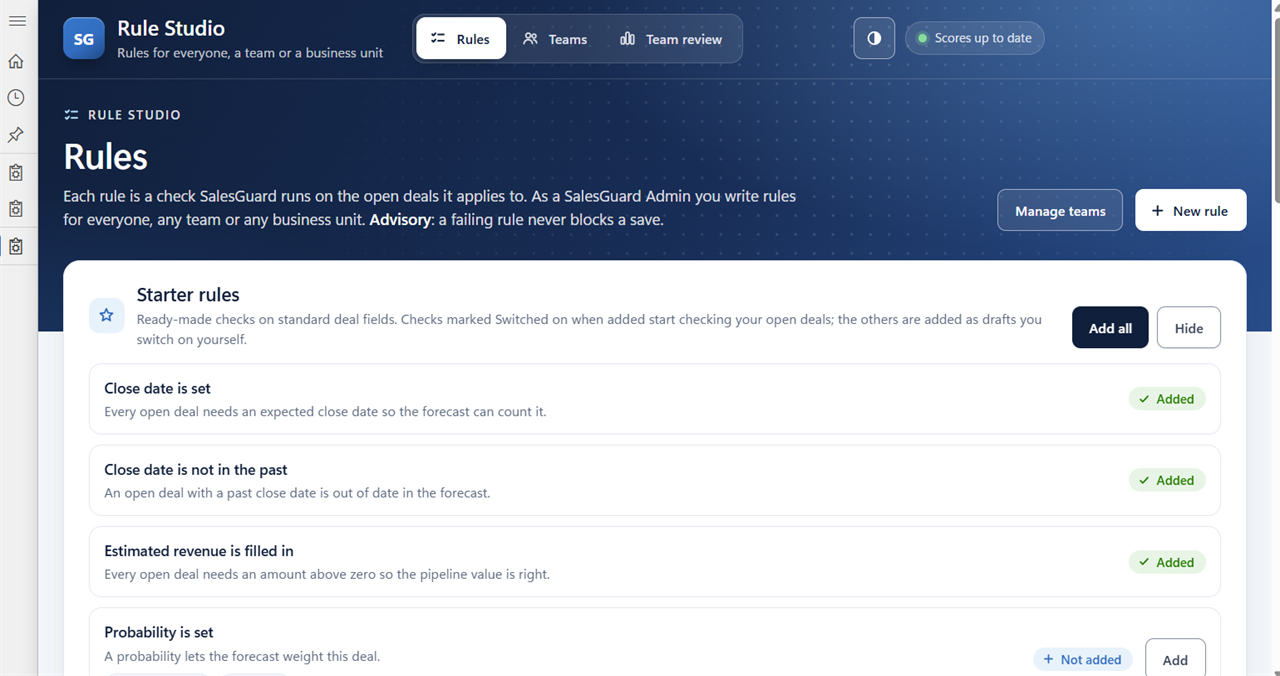
Rule Studio is one page for your rules. Start from eight ready-made checks on standard deal fields, such as “Close date is set” and “Estimated revenue is filled in”, or write your own: required fields and value checks, combined with AND/OR conditions. Give each rule a weight, mark the ones that must pass, and apply it to everyone, to one team or to one business unit.
SalesGuard keeps rule versions when rules change, and an administrator can rebuild evaluations.
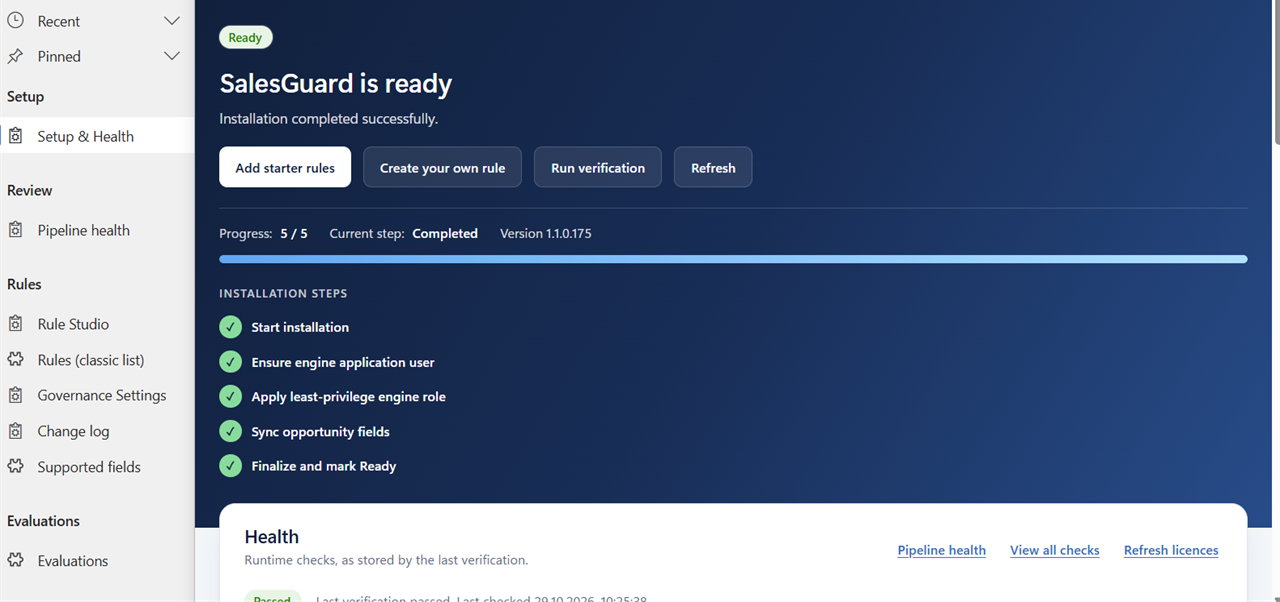
Install SalesGuard from Microsoft Marketplace, then open Setup & Health in the SalesGuard Admin app. An administrator gives consent on Microsoft’s own page, and Setup shows its progress until it reads Ready. Its checks separate passes, warnings and failures, and Run verification refreshes them.
Screenshots from a demonstration environment with fictional sample data.
Add ready-made checks or write your own in Rule Studio, for everyone, a team or a business unit.
When an Opportunity is created or updated, SalesGuard evaluates it in your Dataverse environment and records a score out of 100 and a status such as Passing, Needs Attention or Critical. A deal passes when its score reaches your passing bar.
Sellers see what to fix on the deal and in My Opportunities. Managers coach from the Manager Overview and review Pipeline health.
Dynamics 365 Sales and Copilot in Dynamics 365 Sales work with Opportunity fields such as estimated revenue and estimated close date. SalesGuard governs that deal data: you write the rules, and sellers and managers see which deals fall short, so gaps are visible and fixable.
SalesGuard itself is rule-based and explainable. It uses no AI, does not connect to Copilot and does not create or change forecasts.
Your Opportunity data stays in your own Dataverse environment, and the rules are evaluated there. Setup uses a setup service that PowerData Dynamics runs in Microsoft Azure and sends it installation identifiers (Terms of Use, section 6). The SalesGuard Engine, which runs the rules, holds one SalesGuard role and no administrator role. The SalesGuard Engine, SalesGuard Setup and SalesGuard Updater applications are published by PowerData Dynamics with Microsoft Entra publisher verification.
Section 13 of our Data Protection Policy describes what our service receives and how we handle it.
Get SalesGuard on Microsoft Marketplace and install it into your Dynamics 365 Sales environment. The Guard plan is licensed per user, administrators included, and comes with a 30-day free trial. After the free trial, the pricing shown on the listing applies.
Want to see it first? Book a walkthrough.
No. SalesGuard is advisory: a failing rule never stops a save or a move along the business process. It flags what is missing and records a score on the deal. A save can still fail for reasons that are not rule content, for example when SalesGuard’s Engine role is incomplete; Run verification on Setup & Health reports that.
No. Every result comes from a rule your team wrote and can read. SalesGuard does not connect to Copilot and does not create or change forecasts. It governs the deal data that Dynamics 365 Sales and Microsoft’s sales AI work with.
Your Opportunity data stays in your own Dataverse environment, and the rules are evaluated there. Setup sends PowerData Dynamics installation identifiers, as described in section 6 of the Terms of Use and section 13 of our Data Protection Policy.
Opportunities only. Rules read the Opportunity’s own standard and custom columns.
Sellers see their own deals in My Opportunities and on the Governance tab of each deal. Managers see deals in the Manager Overview and in Pipeline health. SalesGuard reads deal data with each person’s own Dynamics 365 permissions. Seller names stay off Pipeline health until you switch them on. Where a works council exists, we recommend involving it before rollout.
Through Microsoft Marketplace only. The Guard plan is licensed per user, administrators included, and comes with a 30-day free trial. After the free trial, the pricing shown on the listing applies.
We keep developing SalesGuard and publish updates regularly. During setup your administrator also approves the SalesGuard Updater, an application user that lets PowerData Dynamics install SalesGuard updates in your environment. Your administrator can turn it off once Setup has first reached Ready. Section 8 of the Terms of Use describes how it works.
Yes. Uninstalling SalesGuard leaves its four Microsoft Entra enterprise applications and its Engine and Updater application users for an administrator to delete.
Help with installation, configuration, defects and day-to-day use, Monday to Friday, 9:00 to 17:00 CET/CEST, excluding German public holidays. Response times are on the Customer Support page.
Every result comes from a rule you can read, and each failing rule shows what it expects. SalesGuard uses no AI and does not create or change forecasts.
Your Opportunity data stays in your own Dataverse environment. The SalesGuard Engine holds one SalesGuard role and no administrator role.
The SalesGuard Engine, Setup and Updater applications are published by PowerData Dynamics with Microsoft Entra publisher verification.
Help with installation, configuration and day-to-day use, Monday to Friday. Hours and response times are on the Customer Support page.